Book Formatting Services for Nonfiction and Memoir Authors
Your manuscript becomes a book readers can enjoy: a print-ready interior and a clean reflowable ebook, built to Amazon KDP and IngramSpark specifications.
Free strategy session · NDA-backed · You keep 100% of royalties
The short answer: what our book formatting services include
Book formatting services at Hafiz Publications turn your finished manuscript into the two files a book needs: a print-ready PDF interior for paperback, and a reflowable ebook file for Kindle and other stores. Both are built to the platform's exact specifications, in the same studio that edits, designs, and publishes the book.
Formatting is layout, not writing. It sets the trim size, margins, fonts, chapter headings, page numbers, running headers, and table of contents. It changes how the book looks on the page, never what it says.
The print file is a fixed layout. Every element stays exactly where it is put, because a printed page cannot reflow. The ebook file is the opposite. It is built to reflow, so readers can change the font size and the text adjusts on every device.
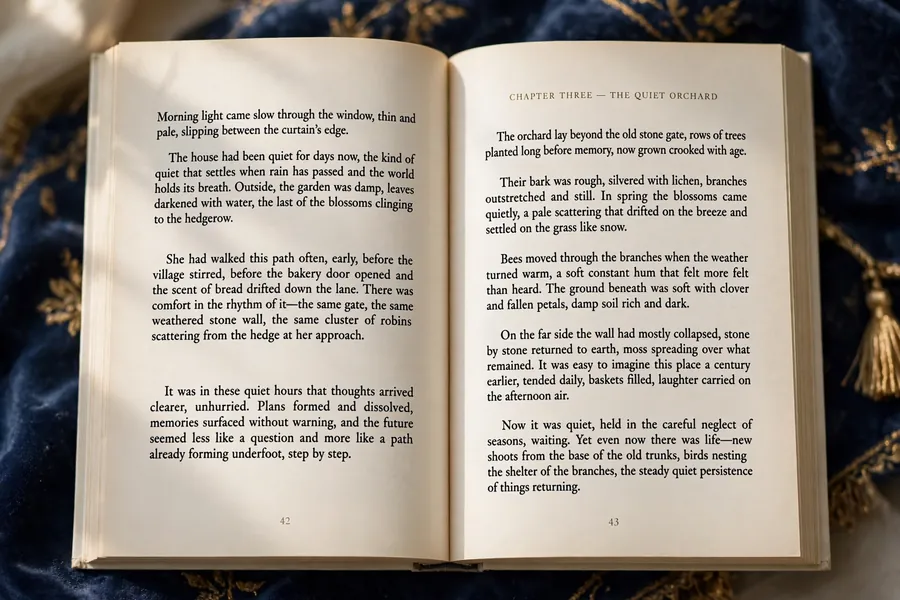
Most authors need both files. A paperback alone misses every Kindle reader, and an ebook alone misses every reader who wants a physical book. We build both from one manuscript, so the two editions match.
This page is the commercial companion to our guide, the ultimate book formatting guide for Amazon Kindle. The guide teaches you how to format a book yourself. This page is where you hire the formatting done for you.
Print, ebook, or both: what does your book need?
Print and ebook formatting are two different jobs, built to two different sets of rules. Choosing the right one starts with where your readers are. Most nonfiction authors publish both, because their readers split across the two formats.
Here is how the three options compare, so you can decide in seconds.
Print paperback
For readers who want a physical book
A fixed-layout PDF interior, typeset to your trim size with the correct margins, gutter, and bleed. The file goes to KDP Print or IngramSpark, and comes back as a book you can hold.
Ebook
For Kindle and ebook stores
A reflowable EPUB built for every screen size. Readers change the font and the text adjusts. The table of contents is linked, the images are sized for retina and e-ink screens, and the front matter stays out of the reader's way.
Print and ebook together
The usual choice for nonfiction
Both files built from the same manuscript, in the same studio, to the same standards. The two editions match, the cover is sized to the real page count, and nothing is formatted twice.
Print vs ebook formatting at a glance
| Decision | Print paperback | Ebook |
|---|---|---|
| File you receive | Print-ready PDF interior, one page per PDF page | Reflowable EPUB (or KPF via Kindle Create) |
| Layout | Fixed: every element stays exactly where it is put | Reflowable: text adjusts to the reader's font size |
| Fonts | A set serif face at 11 to 12pt, fully embedded in the PDF | Clean heading hierarchy; devices override font choices |
| Images | 300 DPI at print size, CMYK or grayscale | JPEG or PNG, minimum 300 DPI, tested in grayscale |
| Table of contents | Printed page numbers, set from the final layout | Linked list: every chapter title is a clickable link |
| Where it sells | Amazon KDP Print, IngramSpark, bookstores | Kindle, Apple Books, Kobo, and other ebook stores |
One warning from our own guide: never upload the same file for both formats. A print PDF uploaded as an ebook produces a fixed, unreadable mess on Kindle, and an ebook file sent to a printer has no trim size, no margins, and no bleed. Two formats means two files, built properly.
Tell us where your book will publish — we will confirm which files it needs before you commit to anything.
What is book formatting, exactly?
Book formatting is the layout of your book's interior: page size, margins, fonts, spacing, chapter headings, page numbers, running headers, and the table of contents. It is the typesetting that turns a manuscript document into pages that look like a published book.
It is easy to confuse formatting with the two jobs that sit beside it. The difference matters, because each one is bought separately and each one fixes a different problem.
Formatting, editing, and cover design: three different jobs
| Job | What it changes | What it never touches |
|---|---|---|
| Editing | The words: structure, clarity, grammar, and consistency | Page layout, fonts, and file specifications |
| Formatting | The pages: layout, typography, margins, and files | Your wording — formatting never rewrites a sentence |
| Cover design | The outside: front cover, back cover, and spine | The interior pages and the manuscript text |
Formatting also sits at a specific point in the publishing order. It comes after the manuscript is final, because every edit after formatting moves the page breaks and changes the page count. A book formatted before its final edit is formatted twice.
That order is why formatting is the last production step before upload. The manuscript is settled, the cover is measured to the finished page count, and the files are built once, properly. Our book editing services and book cover design services pages explain the two jobs on either side of it.
Print formatting: the KDP specifications your interior must meet
Print formatting is exacting work because a printed page cannot fix itself. Every number below is a rule Amazon KDP enforces at upload. A file that breaks one of them comes back flagged or rejected, and the launch waits while it is fixed.
The first decision is the trim size: the finished width and height of each printed page. For nonfiction, 6 by 9 inches is the standard. It is what most business, self-help, and how-to books use, and it is the size readers expect.
Memoirs often take 5 by 8 inches for a smaller, more personal feel, and workbooks and journals take 8.5 by 11 inches for writing space. Choose the trim size before you format anything.
Margins, font size, and page count all depend on it, so changing it later means reformatting the whole book.
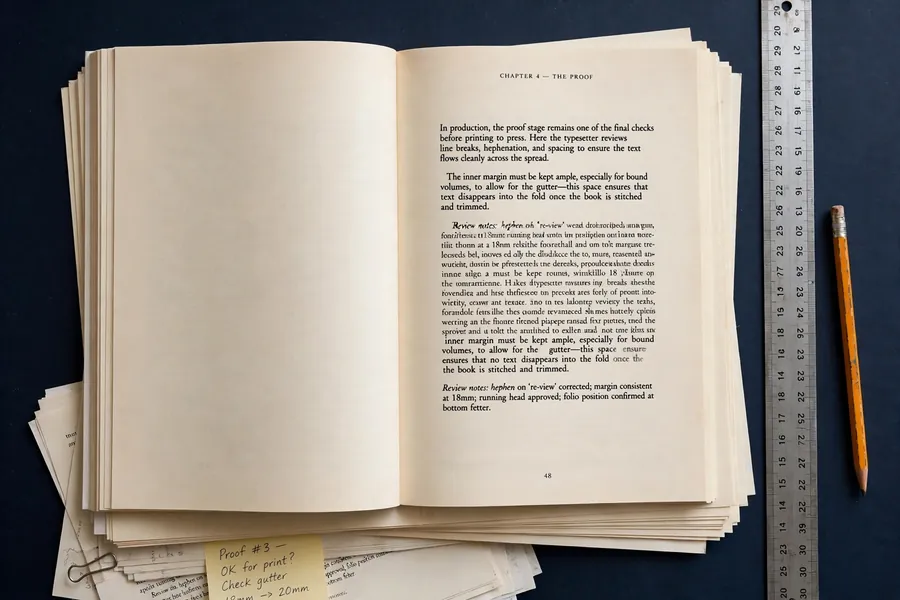
The second decision is the margins, and the inside margin is the one that catches most authors. It is called the gutter, and it must grow as the book gets thicker, because pages curve into the spine. KDP sets a minimum gutter for every page count, and the table below is the rule.
Trim size first
6" x 9" is the nonfiction standard
Pick the size before formatting starts. Everything else derives from it: margins, page count, and the cover wrap.
Gutter grows with pages
Thicker book, wider gutter
A 150-page book needs 0.375 inches of gutter. A 500-page book needs 0.75 inches. The table below gives every band.
PDF with embedded fonts
The file KDP wants
Submit the interior as a PDF with every font embedded, exported at 300 DPI. Unembedded fonts are the most common rejection reason.
Always order a proof
Screen checks are not enough. A printed proof shows low-resolution images, colour shifts, and type that is marginally too small. Order one before the book goes on sale.
KDP minimum margins by page count
| Page count | Inside (gutter) minimum | Outside, top, bottom minimum |
|---|---|---|
| 24 to 150 pages | 0.375 inches | 0.25 inches |
| 151 to 300 pages | 0.5 inches | 0.25 inches |
| 301 to 500 pages | 0.625 inches | 0.25 inches |
| 501 to 700 pages | 0.75 inches | 0.25 inches |
| 701 to 828 pages | 0.875 inches | 0.25 inches |
Those are minimums, not recommendations. Professional books use more generous margins than the table allows: a 0.75 to 1 inch gutter, 0.5 to 0.75 inches outside, and 0.75 to 1 inch top and bottom. The extra white space improves readability and gives the book a more premium feel.
Two more rules complete the print picture. First, bleed: if any image or colour runs to the edge of a page, add 0.125 inches of bleed on the top, bottom, and outside edges. Keep all text at least 0.25 inches from the cut edge.
A text-only interior needs no bleed at all. Second, fonts: set the body in a professional serif face — Garamond, Georgia, Palatino, or Minion Pro — at 11 to 12pt with 1.2 to 1.4 line spacing.
Sans-serif body text is harder to read in print, and Times New Roman signals desktop publishing rather than professional typesetting.
Our guide to paperback formatting requirements for Amazon KDP works through every one of these numbers in full. The table above is the short version, and it is the version we format to.
Trim size and bleed: a worked example
| Trim size | Page size, no bleed | Page size, with bleed |
|---|---|---|
| 5" x 8" | 5" x 8" | 5.125" x 8.25" |
| 5.5" x 8.5" | 5.5" x 8.5" | 5.625" x 8.75" |
| 6" x 9" | 6" x 9" | 6.125" x 9.25" |
| 8.5" x 11" | 8.5" x 11" | 8.625" x 11.25" |
Bleed adds 0.125 inches on the top, bottom, and outside edges only — never on the inside edge, where the pages meet the spine. A 6 by 9 book with bleed is therefore 6.125 inches wide and 9.25 inches tall.
Ebook formatting: a file that reads well on every device
An ebook is a reflowable document. Readers change the font size, the font family, the line spacing, and the background colour at will. That freedom is the whole point of the format, and it changes how the file must be built.
You cannot control exact page layout in an ebook. What looks like a centred page break on your screen reflows differently on a Kindle Paperwhite, an iPad, and the Kindle phone app. So the formatting works with the reflow instead of fighting it.
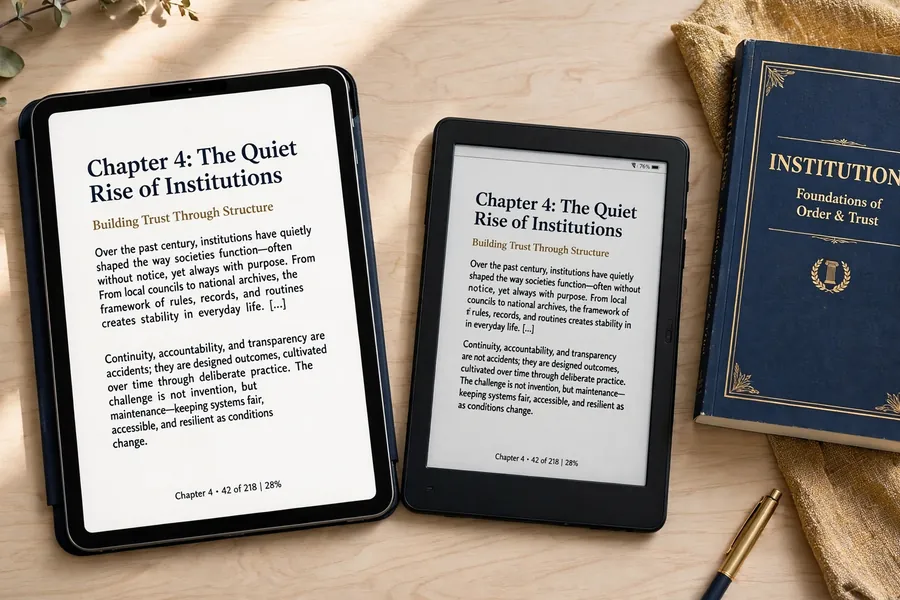
The cleanest ebook file is an EPUB. KDP also accepts a Word document and KPF files made with Amazon's free Kindle Create tool, but EPUB gives the most control and the best quality output. A raw PDF should never be uploaded as an ebook: the results are fixed-layout pages on a reflowable device, and readers cannot resize the text.
Good ebook formatting is invisible. If readers notice it, something went wrong. The chapter headings are consistent, the table of contents takes them where they tap, the images are clear on retina screens and readable on grayscale e-ink, and the first paragraph of each chapter has no indent, as professional typesetting requires.
Two habits cause most ebook problems, and both are easy to avoid once you know them. The first is using the spacebar or the Tab key to create indentation. Use the paragraph indent setting in Styles instead.
Tab-created indents translate inconsistently across Kindle devices. The second is pressing Enter ten times to separate chapters. Use a page break instead. Ten blank lines become ten blank lines of different sizes on different screens.
Our ultimate book formatting guide for Amazon Kindle covers the full ebook checklist, including image sizes and the front matter order. It is the guide version of the work this page sells.
Formatting for IngramSpark and wide distribution
Amazon KDP reaches Amazon's readers. IngramSpark reaches the rest: bookstores, libraries, and retailers beyond Amazon. The two platforms accept similar files, but IngramSpark is stricter, and a file that passes KDP can still fail IngramSpark's automated checks.
That is why we format to the stricter set of rules whenever a book is going wide. One interior built to IngramSpark's standard passes both platforms, instead of two interiors built twice.
KDP vs IngramSpark: where the rules differ
| Requirement | Amazon KDP | IngramSpark |
|---|---|---|
| Interior file | PDF recommended; DOC, DOCX, or RTF also accepted | PDF only, to the PDF/X-1a:2001 print standard |
| Fonts | All fonts embedded in the PDF | All fonts fully embedded; unembedded fonts are rejected |
| Margins | Minimums by page count, from 0.375 inches of gutter | Minimum 0.5 inches from the trim on all sides, plus the gutter |
| Colour | RGB accepted for covers; grayscale or colour interiors | CMYK for colour, grayscale for black and white |
| Images | At least 300 DPI | 300 ppi recommended; colour images in CMYK |
| Cover file | JPEG or PDF, one wrap file | PDF only; barcodes mandatory; no JPEG covers |
| Page count | 24 to 828 pages for paperbacks | Must be an even number; limits vary by trim size |
| ISBN | Free Amazon-exclusive ISBN available | You supply your own ISBN for every title |
The practical difference is in the export. IngramSpark wants a PDF/X-1a file: transparency flattened, all fonts embedded, no layers, no crop marks, one page per PDF page. That export needs a program that can produce it, such as InDesign or Affinity, or a formatting tool that makes the file for you. Word alone cannot export PDF/X-1a.
The cover rules are stricter too. IngramSpark takes the cover as a PDF only, with a mandatory barcode in 100 percent black on a white box, and 0.125 inches of bleed on all four sides.
Its spine width uses the same per-page arithmetic as KDP: page count times 0.002252 inches on white paper, or times 0.0025 inches on cream. Our book spine design guide explains the full calculation.
IngramSpark publishes its own file requirements for print books, and Amazon publishes its paperback formatting guide in KDP Help. We format to both, so the files you receive work wherever the book is published.
The books we format most
Formatting is not one layout repeated for every book. A business book, a memoir, and a workbook are three different reading experiences, and the interior should match the way each one is read.
Business and how-to
Clean, scannable, authoritative
Clear chapter headings, callout boxes for frameworks, and tables that stay readable in print and on screen. The reader skims first and reads second, so the layout supports both.
Memoir and personal story
Warm, unhurried, readable
Generous leading, restful margins, and chapter openings that give the story room. The layout disappears and the voice carries the book.
Self-help and health
Structured, calm, practical
Numbered practices, short sections, and exercise pages that are easy to find again. The reader returns to these books, so the contents page earns its keep.
Workbooks and journals
Space to write, built in
Ruled and blank response areas, checklists, and prompts laid out at 8.5 by 11 inches, where the reader has room to write. The most demanding layout we do, and the one most often done badly.
Books with charts and tables
Data that survives the format
Charts, tables, and figures placed where they belong, sized so the numbers stay legible, and checked at print resolution. A misaligned table ruins the reading experience for every buyer.
What we do not format
Children's picture books and heavily illustrated art books need fixed-layout files and a different production process. If your book is one of those, tell us on the strategy call and we will say so honestly, before you spend anything.
Real books from the portfolio, each formatted in this studio as part of its full publishing production. Business, self-help, health, memoir, and workbooks — the genres we publish most.




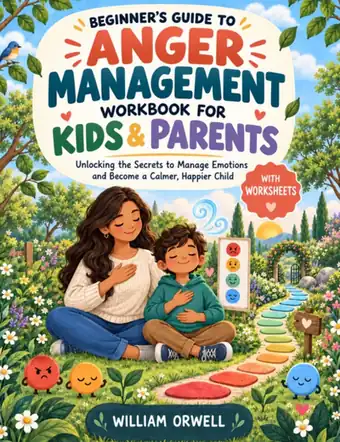

A sample of the 300+ books published by the studio. See the full portfolio
Why do KDP and IngramSpark reject formatted files?
Most rejections are not mysterious. They are the same small errors, repeated across thousands of uploads. KDP runs automated checks on every file, and the flags it raises most often are the ones below. Each one is preventable before upload, and each one costs days when it is found after.
The seven rejection causes we check for first
| What gets flagged | Why it happens | How we prevent it |
|---|---|---|
| Margins below the minimum | The gutter is set for a thin book, then the page count grows | Gutter set from the final page count, using the KDP table |
| Fonts not embedded | The PDF is exported without embedding, or with subsetting off | Exported as print PDF with every font embedded, then verified |
| Low-resolution images | Web images at 72 DPI are used at print size | Every image checked at 300 DPI at its printed size |
| Bleed errors | Art touches the edge without bleed, or bleed is set where none is needed | Bleed set only where art reaches the edge, at 0.125 inches |
| Page size mismatch | The PDF page size does not match the chosen trim size | Page size set to the trim size, plus bleed where required |
| Broken table of contents | TOC links point nowhere, or the navigation file is missing | Every TOC link tested, and the navigation file registered |
| Placeholder text left in | Template sample text survives into the final file | A full read-through of the final file before submission |
If your book has already been flagged, the fix starts with the flag itself. KDP's previewer shows exactly which pages fail and why, and the repair is usually one of the seven rows above.
Bring us the flagged file and the message it came back with, and we will tell you what needs to change before you pay for a reformat.
Bring a flagged file, or a finished manuscript — we will tell you honestly what it needs.
How does our book formatting process work?
Formatting goes wrong most often before it starts: the manuscript is still changing, the trim size is undecided, or nobody checked where the book will publish. Our process is built to prevent all three. It has six steps, and the first one is a conversation.

Manuscript Review
Trim & Specs
Sample Pages
Full Layout
Proof Check
Final Files
Manuscript review
You send the finished manuscript, usually as a Word document. We read it for structure: chapter count, headings, tables, images, and anything unusual, such as sidebars or exercises. If the manuscript is still being edited, we say so, because formatting a moving manuscript means formatting it twice.
Trim size and specifications
We agree the trim size, the platforms, and the formats: paperback, ebook, or both, on KDP, IngramSpark, or both. The margins, gutter, and bleed all follow from these three decisions, so they are settled before any layout begins.
Sample pages
We format the front matter and the first chapter first, so you can see the chapter headings, the body type, the margins, and the running headers on real pages. You approve the look before the rest of the book is laid out.
Full layout
The remaining chapters are laid out to the approved sample: consistent headings, placed images and tables, a linked table of contents for the ebook, and page numbers that start at Chapter One, not in the front matter.
Proof check
The files are reviewed in KDP's online previewer and Kindle Previewer, checking page numbers, headers, image resolution, and TOC links. Then we recommend a printed proof copy, so what looks fine on screen is confirmed in print.
Final files and handoff
You receive the print-ready PDF interior and the reflowable ebook file, built to the platforms you chose. The cover is sized to the finished page count, and the book moves to Amazon KDP publishing in the same studio.
The interior is formatted by the same founder-led studio that writes, edits, and publishes the books in the portfolio above. That matters because the formatter knows what the manuscript looks like, what the trim size is, and where the book will be sold — before the first page is laid out.
Formatting done in isolation from the book is typesetting. Formatting done inside the publishing process is part of the product.

A founder-led studio: the interiors are formatted by the same studio that writes and publishes the books, under one standard.
Step one is a conversation: tell us about the book, and we will tell you what its formatting needs.
Why are editing, formatting, and the cover done together?
A print interior is not a document. It is a set of measurements that everything else depends on. The page count decides the spine width. The trim size decides the cover dimensions. And none of those numbers is final until the interior is laid out.
That is why formatting sits inside the same production as editing, cover design, and publishing here, not in a separate shop. The formatter works from the settled text, not a draft. The cover is built to the finished book's real measurements.
Done in the wrong order — formatting applied to a text that still changes, a cover designed before the manuscript is final — the work gets redone and the author pays twice.
Done in the right order, each step builds on the last: the edited manuscript moves into formatting, the cover is built to the finished book's measurements, and then the book goes to publishing.
If you only need the formatting, that is fine too. Bring us the finished manuscript with its word count and where it will publish, and the interior is formatted to those numbers. The files are yours, the book is yours, and nothing about the process ties you to the rest of the pipeline.
What does book formatting cost?
The honest answer is that it depends, and any page that gives you a single number is selling one package or guessing. Three things move the quote: the formats you need, the length and complexity of the book, and whether the formatting is standalone or part of a full book project.
A simple text-only ebook is one job. A print interior with tables, charts, and images, plus an ebook, plus IngramSpark files, is a bigger one. A workbook with response areas is bigger still.
The formats you need
An ebook alone costs less than print and ebook together, because it is one file instead of two builds to two different sets of rules.
Length and complexity
Word count sets the page count, and tables, charts, images, and exercises set the layout work. A 40,000-word text book formats faster than a 40,000-word workbook.
Standalone or full book
Formatting inside a full ghostwriting, editing, and publishing project shares the production, which changes the scope of the quote.
What we can promise is how the quote works. After a strategy session, you receive a clear fixed-price quote for the agreed scope, before you commit to anything. There is no surprise later, and nothing is added without your agreement.
For context on the do-it-yourself route, our guide to how to format a book lists the main formatting tools and their costs, including Vellum at around $250 as a one-time purchase. Read it before you compare quotes, so you know what a quote should include — and what its absence means.
One warning is worth repeating here: a quote far below the market is not a bargain, it is a signal. Formatting at a fraction of the going rate usually means a template, an automated conversion, or a file that was never checked in a previewer.
The cheapest formatting is the formatting you pay for twice — once to the person who did it, and once to the person who fixes it after KDP flags it.
Should you format the book yourself?
Some authors should format their own books. Some should not. The honest answer depends on the book, not on the author. A simple text-only memoir with no tables and no images is a reasonable do-it-yourself project. A workbook with response areas, or a business book full of charts, is not.
Format it yourself when
The book is text-only, under 60,000 words, with no tables or images, and you have a weekend to learn the tools. Our guides walk you through it: how to format a book for Kindle and paperback and the Kindle formatting guide.
Hire it out when
The book has tables, charts, images, exercises, or wide distribution, or the launch date is fixed. A formatting error that breaks a table ruins the reading experience for every buyer. Our paperback formatting guide shows what the print rules demand.
Either way, the standard is the same: a file that looks indistinguishable from a traditionally published book, on every device, at every font size, in both colour and grayscale. If your own formatting clears that bar, keep the money. If it does not, the fix costs less than the reviews a broken file earns.
Key takeaways
- Formatting is layout, not writing: it sets trim size, margins, fonts, headings, and page numbers, and it never changes your words.
- Print and ebook are two different files. A print interior is a fixed PDF built to KDP's margin and bleed rules; an ebook is a reflowable EPUB built to be read at any font size.
- The gutter margin grows with the page count, from 0.375 inches for books under 150 pages to 0.875 inches for books over 700 pages, and getting it wrong is the most common reason files are flagged.
- IngramSpark is stricter than KDP: PDF/X-1a files, CMYK colour, 0.5-inch minimum margins, and a mandatory barcode on the cover. Formatting to the stricter rules covers both platforms.
- Format only after the manuscript is final, check the files in KDP's previewer, and order a printed proof before the book goes on sale.
- Every engagement at Hafiz Publications starts with a free strategy session, followed by a fixed-price quote before you commit — and the files, like the book, are yours in full.
Frequently asked questions
You receive a print-ready PDF interior, typeset to your trim size with the correct margins and embedded fonts, and a reflowable EPUB ebook file with a linked table of contents. Both are built to Amazon KDP's specifications, and to IngramSpark's stricter PDF/X-1a standard where your book is going wide.
Yes. We format for Amazon KDP and for IngramSpark, and we build to the stricter set of rules when a book is going to both. IngramSpark asks for PDF/X-1a files, CMYK colour, minimum 0.5-inch margins, and a mandatory barcode on the cover, while KDP accepts a wider range of files. One interior built to the IngramSpark standard passes both platforms.
No. Formatting changes only how the book looks on the page: the layout, typography, margins, and files. Your wording stays exactly as you approved it. If the text still needs work, that is editing and proofreading, which are separate services we provide before formatting begins.
The finished manuscript, usually as a Word document, plus your trim size preference if you have one, where the book will publish, and any images, tables, or charts at their original resolution. The strategy session settles the rest: formats, platforms, and whether the book needs anything unusual, such as workbook response areas.
It depends on three things: the formats you need, the length and complexity of the book, and whether the formatting is standalone or part of a full book project. After a strategy session you receive a clear fixed-price quote for the agreed scope, before you commit to anything, and nothing is added without your agreement.
Yes. A full-book project includes interview-led ghostwriting, editing and proofreading, cover design, interior formatting, and Amazon KDP publishing, all inside the same studio. The interior is formatted to the finished book's real page count, because the same studio produces the manuscript it lays out.
Your manuscript deserves pages that read like a real book.
Book a free strategy session and tell us about the book. We will tell you which files it needs, what the platform specifications require, and what a fixed-price quote would look like — before you commit to anything.
Book Your Strategy CallThe 7-Figure Book Blueprint — our free guide to turning a book into authority and clients.